
Inside the story
Our nightly routine
Our boyfriend is a doctor. He is attentive, affectionate and already part of the protagonist’s life when Helping Your Boyfriend begins. A leg illness has left our character unable to walk, so we live with Adrian and wake late at night, around the time he returns from work. There is no first-date introduction to get through. We begin inside a relationship that has already become our everyday world.
The job he brings home is less ordinary: taking old dolls apart. At first, it gives the evening something to do between conversations. The setting is soft, the interface is pink, and Adrian’s character art leans into the reassuring boyfriend image. Then the game starts asking for our attention in a different way. A task interrupts the reading, a reply changes the tone, and the same familiar room no longer feels quite so comfortable.
That contrast is the reason to give the opening time. The horror does not arrive as a separate story pasted over the romance. It grows out of the care routine we have already accepted. On a first run, we can enjoy the affectionate exchanges without racing ahead to an ending checklist. There is enough uncertainty in the next scene; knowing every late condition in advance would remove much of it.
Who are we trusting?
Some people are easy to love. Others are harder to read. We start with Adrian, then meet the people who change our view of the house. Ian and Oliver’s portraits reveal later encounters.

Our protagonist
The character we play
We choose our name, pronouns and body type. A leg illness shapes our daily life with Adrian.

Adrian
Our doctor boyfriend
Affectionate conversation and the nightly care routine make him feel familiar. We pay attention to his actions as well as his reassurance.

Ian
A later-story encounter
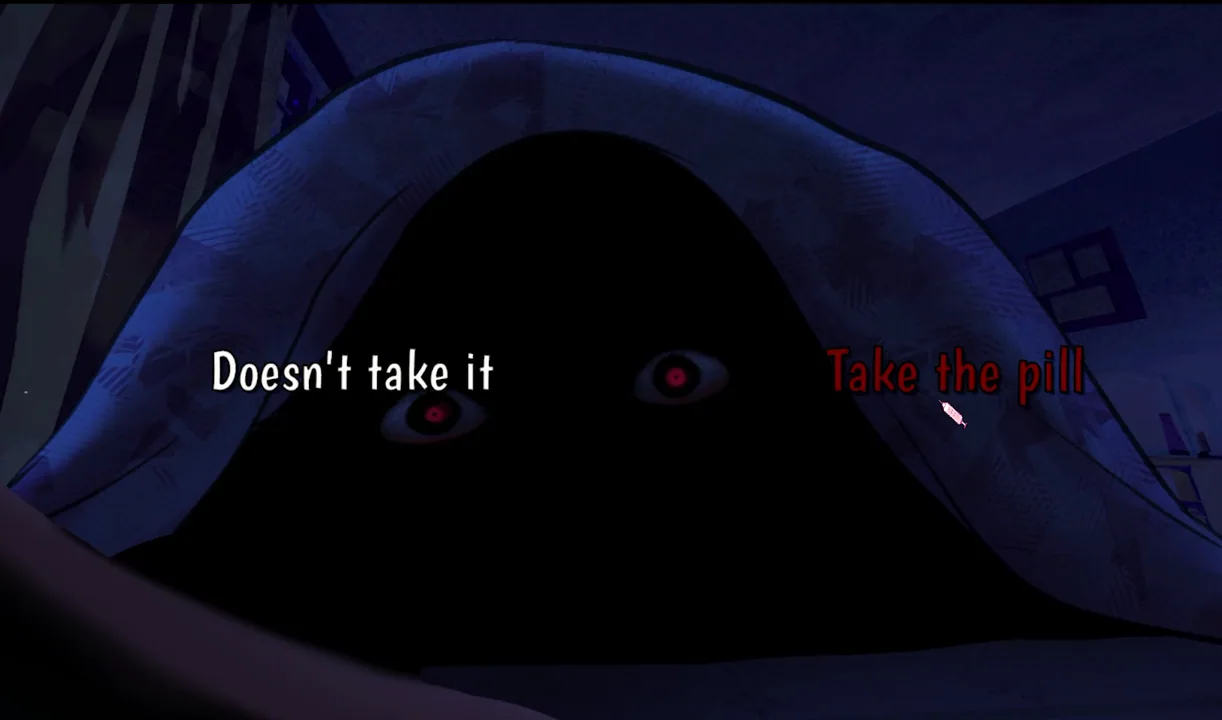
His late-night pill encounter changes what we are being asked to trust. We compare his words with what our investigation has already revealed.

Oliver
A contact in the investigation
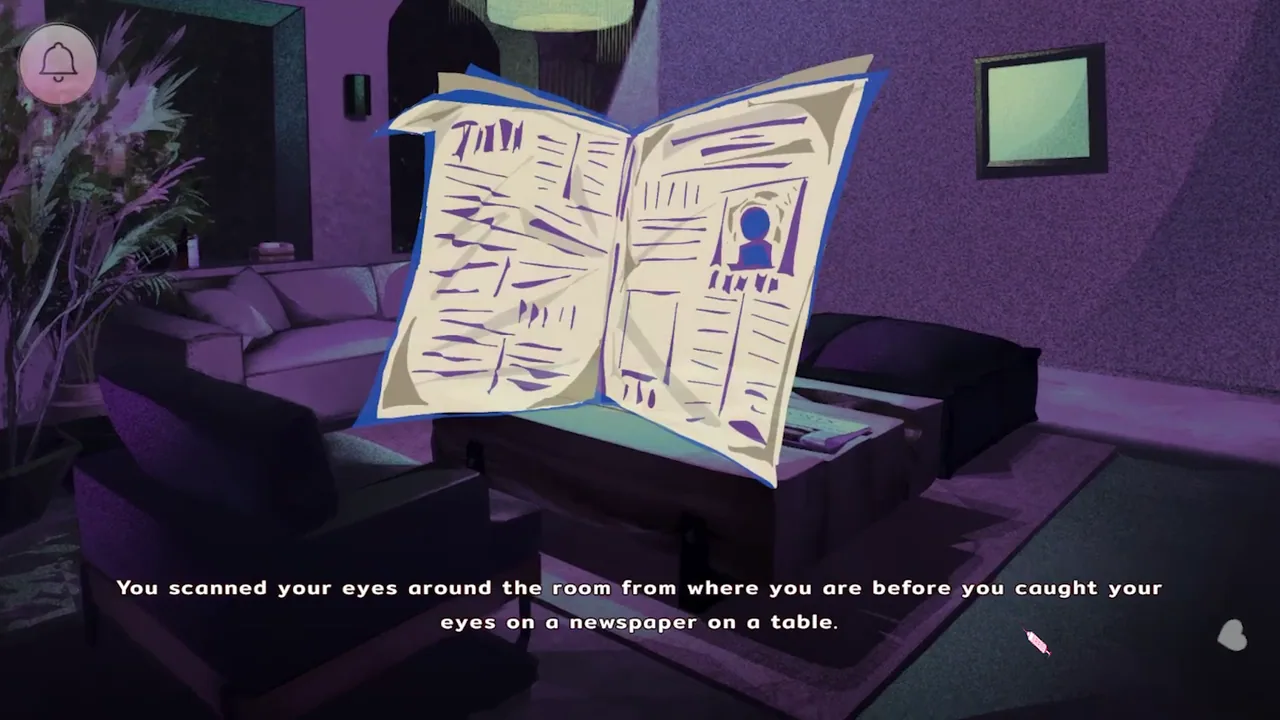
A phone number and a completed investigation matter before we can reach him. Knowing his name alone is not enough to make the call.
One story. Four endings.
We finish our first run, then choose what to explore next: Adrian’s routine, a way out, or a different bond with Ian. Here are the four ending names; the full routes live on the Endings page.
Controls guide
Read
Click / EnterAdvance dialogue. L opens the history log; Space hides or restores the text box.
Choose
Click / EnterRead each visible answer before we confirm a response.
Doll work
Click / DragFollow the current tool prompt, match the sorting slots and check the counters.
Timed prompts
Arrows / SpaceUse the keys shown by the current prompt. Lower difficulty if timing keeps blocking the run.
Before another run
How many endings can we find?
There are four route endings. Earlier game-over screens are separate from that count. We keep an early checkpoint for changing relationship choices and later slots for the investigation.
Where are the later scenes?
The late-scene examples are visible at the end of the homepage, with a spoiler warning above the images. Endings and Characters also show their full chapters, with one spoiler reminder at the top.
What if a doll task does not respond?
Check the selected tool and the current prompt. For a drag, start on the object itself and look for the receiving slot or counter to change. Not every minigame uses dragging.
Which language do we choose?
The browser game's opening screen offers English and Thai. Choose a language before entering the story.
What do we do between conversations?
We make dialogue choices, take apart dolls with mouse tools and sorting slots, and react to timed prompts. Before a task, we save and read its instruction; when dialogue returns, we switch back to Click or Enter.
Can we customise our protagonist?
Yes. We choose a name, pronouns and body type at the start. Gameplay difficulty is a separate setting, so appearance choices are not a harder or easier route.
Before the first conversation
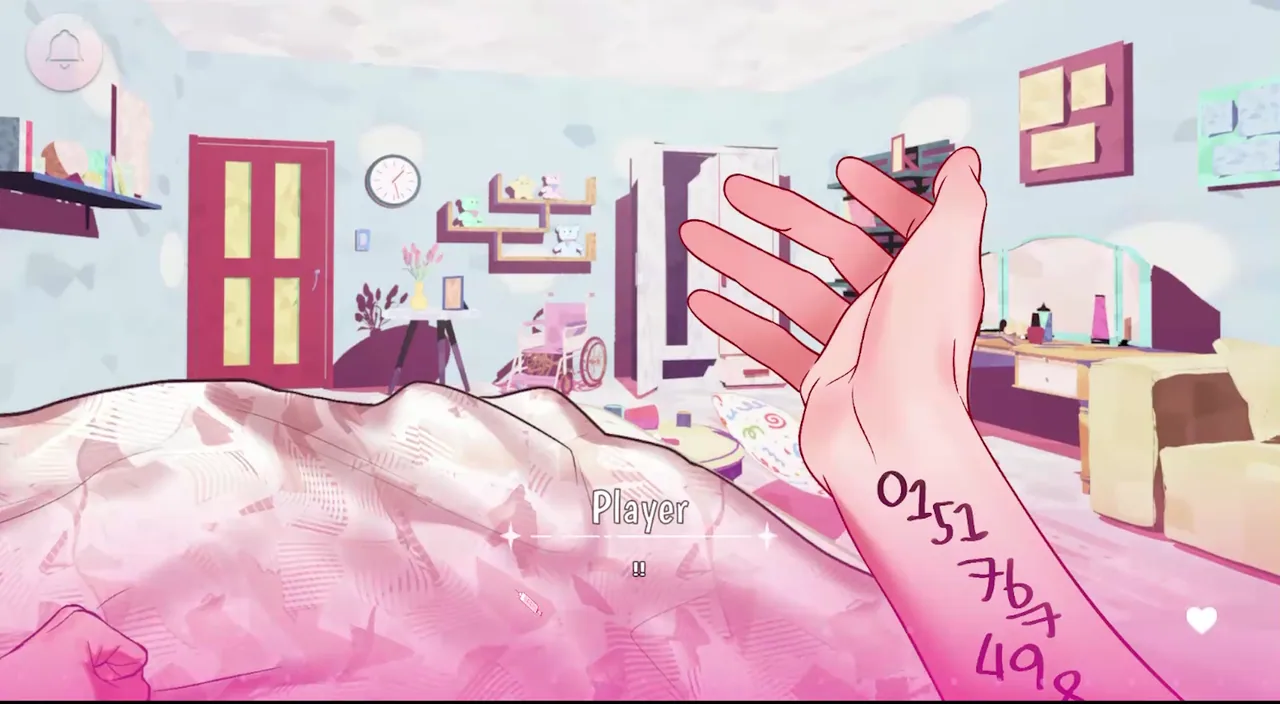
The opening lets us choose a name, pronouns and body type. We make those selections before settling into the protagonist’s viewpoint. The pictured screen contains two body-type choices; it is character customisation, not a harder or easier route. Gameplay difficulty is a separate setting in version 1.0.1, and it is the useful option to revisit if a timed sequence becomes frustrating.

Before a long reading session, we find the bell menu at the top of the screen and check Save, Load and Settings. An early manual save is useful for a second route; another slot immediately before an interactive task is useful for retries. Those two saves serve different purposes. If we miss an input, we do not need to rebuild every conversation. If we want different relationship choices, a save made after them is too late.
The pastel presentation is not a content rating. This game includes sudden loud sounds, jumpscares, flashing or disturbing imagery, blood, cartoon gore, violence, drug use and unhealthy relationships. We start with a comfortable volume and stop if the themes are not a good fit. Lowering gameplay difficulty can reduce the pressure of an interaction, but it does not turn the story into a non-horror romance.
A simple question, three very different replies
In the dialogue scene below, Adrian asks about our sleep. The answers let us respond neutrally, affectionately or with discomfort. That is a small exchange, but it captures the rhythm of the game: we are answering someone close to us while deciding how honestly to describe our own experience. The choice is more interesting when we read the question and the surrounding scene instead of picking the warmest-looking button automatically.
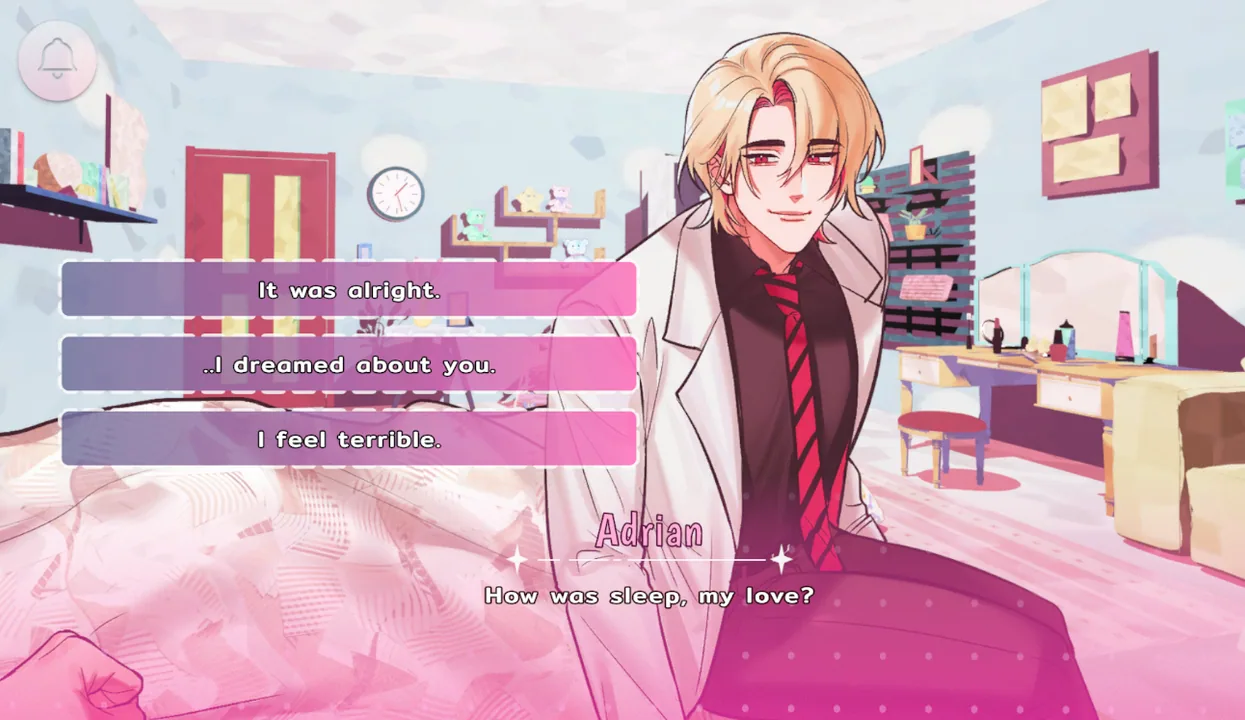
Left click or Enter advances dialogue and confirms a visible answer. Space hides or restores the text box. We can use that to see the full illustration without accidentally treating it as the next-line key. L opens the history log, which is helpful after clicking past a sentence. The log gives us the words again; it does not undo the choice we already made.
A toggles auto-play, while holding Ctrl or pressing Tab skips text. On replay, those shortcuts make familiar stretches less repetitive. We release skip before a new response or a scene change so that the game does not hurry us past the comparison we came back to make. When the interface changes from dialogue to an interaction, we switch from reading controls to the task’s own prompt.
The doll work is part of the game—not background decoration
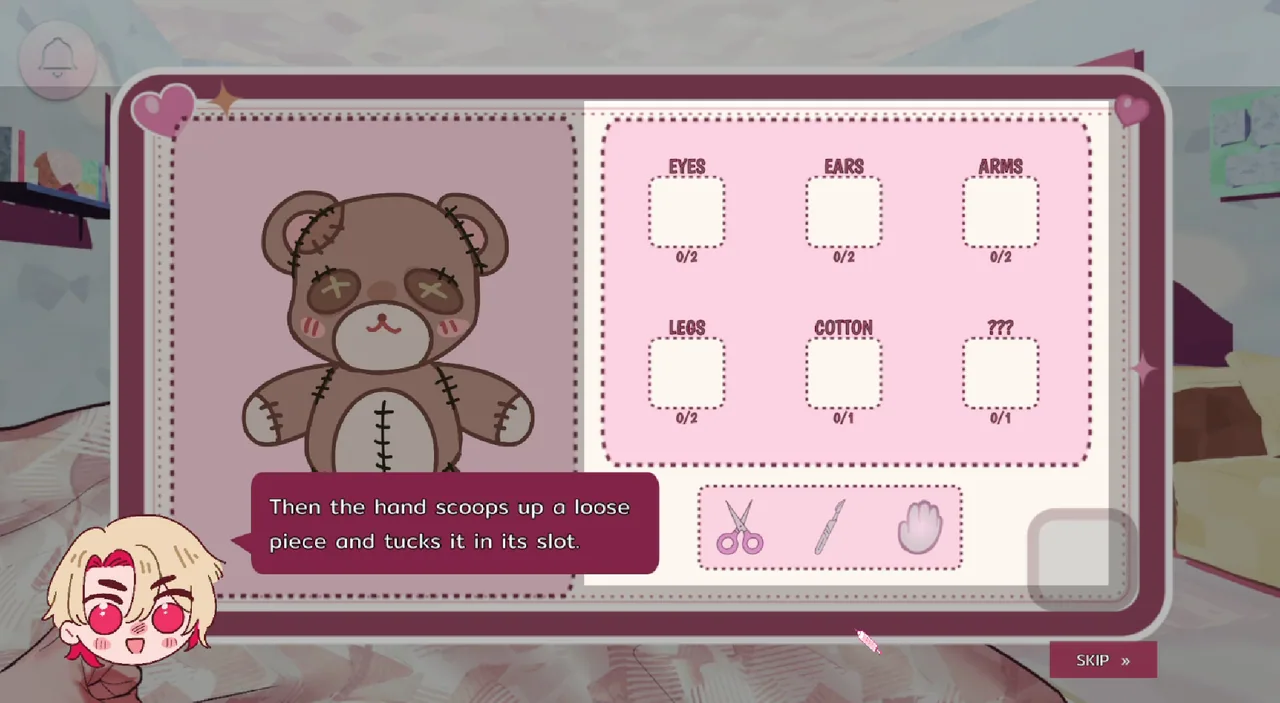
The doll-workspace image gives us more useful information than a generic description of five minigames. A stitched bear sits on the left. On the right are labelled spaces for eyes, ears, arms, legs and cotton, plus one mystery slot. Counters show how many pieces belong in each space. Scissors, a pointed tool and a hand icon sit along the bottom. The screen is teaching us to distinguish cutting, removing and sorting rather than clicking the bear as if it were another dialogue answer.
We read the current instruction, choose the indicated tool and watch what changes on the workspace. When a task asks for a drag, we hold on the object itself, carry it toward the matching destination and release deliberately. The receiving slot or counter is the feedback to look for. If the cursor moved but the object did not, we start again nearer the object’s centre instead of making several hurried clicks.
Other sequences use arrow keys and Space for quick-time prompts. The pictured doll screen is not an arrow-key QTE, and the five minigames should not be treated as one repeated drag mechanic. We follow the symbol shown by the current task, put our hands over the required keys and press for that prompt. A keyboard with dedicated arrows is easier to work with than toggling a compact keyboard’s function layer during a timed event.
After a miss, we read the result before deciding what to reload. A game-over interruption calls for a task retry; an ongoing scene calls for reading what happened next. If the timing is the problem, changing difficulty is more useful than replaying the same failed input at the same setting. The Controls page separates the dialogue keys, mouse actions and timed inputs so we can find the part that actually blocked us.
Adrian is the beginning. He is not the whole cast.
Dr. Adrian Winchester is introduced through the existing relationship and the care routine. That makes the opening different from a visual novel where we select a love interest from a menu. His conversations are tied to the protagonist’s daily life, and the doll work gives his presence a practical role as well as a romantic one. We can notice that closeness without assuming every reassurance settles the questions the story raises.
Ian and Oliver belong in their own character discussion rather than being dropped into the first paragraph as a list of twists. The Characters page introduces our viewpoint and Adrian first, then discusses the later encounters in full after a page-level spoiler reminder. It is useful when we want to understand who is involved and why a later interaction matters; the Endings page is for the order of actions needed on a targeted replay.
When another voice changes the situation, we pay attention to the speaker as well as the offered action. A pill choice is not just a reusable yes-or-no button, and a phone contact is not automatically available because we know a character’s name. The protagonist has to reach those scenes within the run. That is where character reading and practical route planning start to meet.
Release details and playing here
The official downloadable edition is 1.0.1, with English and Thai text, more than eight thousand English words and five minigames. Windows, macOS and Android are the listed platforms. The browser player here is hosted separately and may differ from that edition. One story run and a four-ending replay are different time commitments; our reading speed and task retries matter more than trying to fit the whole game into a fixed timer.
| What we are planning around | Current release |
|---|---|
| Story outcomes | 4 endings |
| Interactive sequences | 5 minigames |
| Official downloadable edition | 1.0.1 |
| Text | English and Thai |
| Official platforms | Windows, macOS and Android |
Click Play Now to load Helping Your Boyfriend in the browser, then choose English or Thai on the opening language screen. We can switch to webpage or browser fullscreen using the buttons below the player. The character page, controls and ending paths remain available when we want help between sessions. The gameplay video below shows the interface in motion and may contain later scenes.
When we are ready: optional late-scene examples